Lightroom Mobile Can Now Fix Closed Eyes
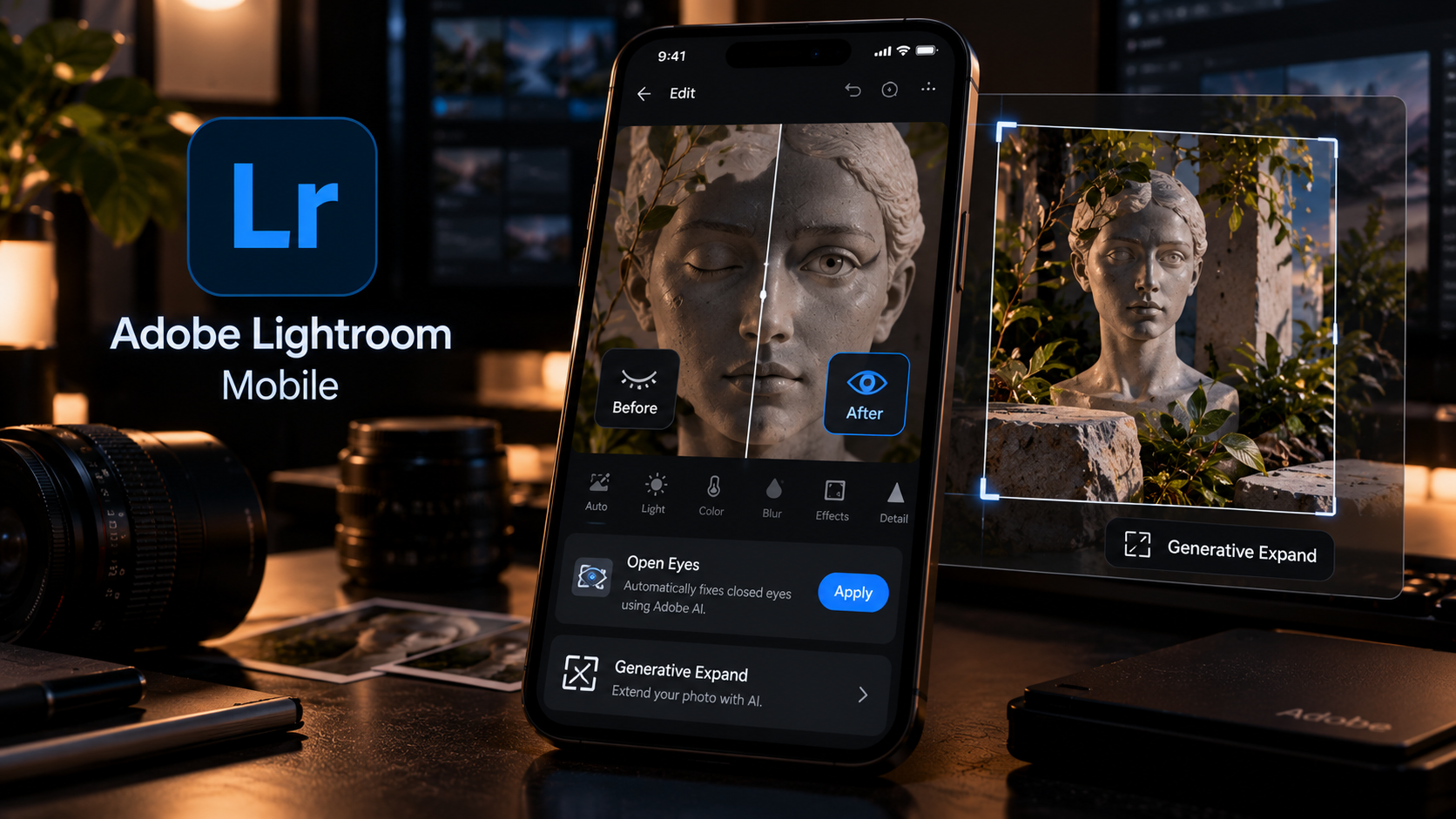
Adobe has added a new Open Eyes Quick Action to Lightroom on mobile, giving users a one-tap way to repair photos where someone blinked. Lightroom detects closed eyes automatically and can generate a natural-looking correction directly inside the mobile editing workflow.
The feature is small compared with a major desktop release, but it solves one of the most common reasons an otherwise good photo gets discarded. Adobe is also pairing it with Generative Expand on mobile, making the update especially relevant for people who edit and publish directly from their phones.
Open Eyes appears as a Quick Action
Adobe says Lightroom automatically detects when one or more people have closed eyes in a photo and surfaces an Open Eyes icon as a contextual Quick Action.
The user can choose to generate the correction with a single tap instead of manually retouching the eye area or moving the photo into Photoshop.
Lightroom can use other photos of the same person
If the user already has other images of that person in the Lightroom library, Adobe says the result can be made more accurate by matching details such as eye color, shape and size.
That is an important difference from a generic eye replacement because identity consistency matters. A technically open eye is not useful if it no longer looks like the person in the photograph.
Generative Expand also comes to mobile
Adobe is also bringing Generative Expand into the same mobile workflow. The feature can extend the scene beyond the original frame so an image can be reframed or adapted to a different aspect ratio.
That is especially useful for creators who need the same photo to work across multiple social platforms, where one crop rarely fits every feed or placement.
What photographers should still check
Any generated facial correction should be reviewed closely before publishing. Small differences in gaze direction, eyelids, reflections or eye shape can make a face feel subtly wrong even when the edit looks convincing at first glance.
For important portraits, the tool should be treated as a fast starting point rather than a reason to stop checking the image.
Sources and further reading
Read Adobe's Open Eyes announcement
Explore more articles on the Nejma Blog
GOT ANY QUESTIONS LEFT?
It is a Quick Action that detects closed eyes in a photo and generates a natural-looking correction.
Yes. Adobe says existing photos in the Lightroom library can help match eye color, shape and size more accurately.
Adobe also added Generative Expand for extending image boundaries and adapting photos to different aspect ratios.