5 Google Flow Tools for Visual Creators
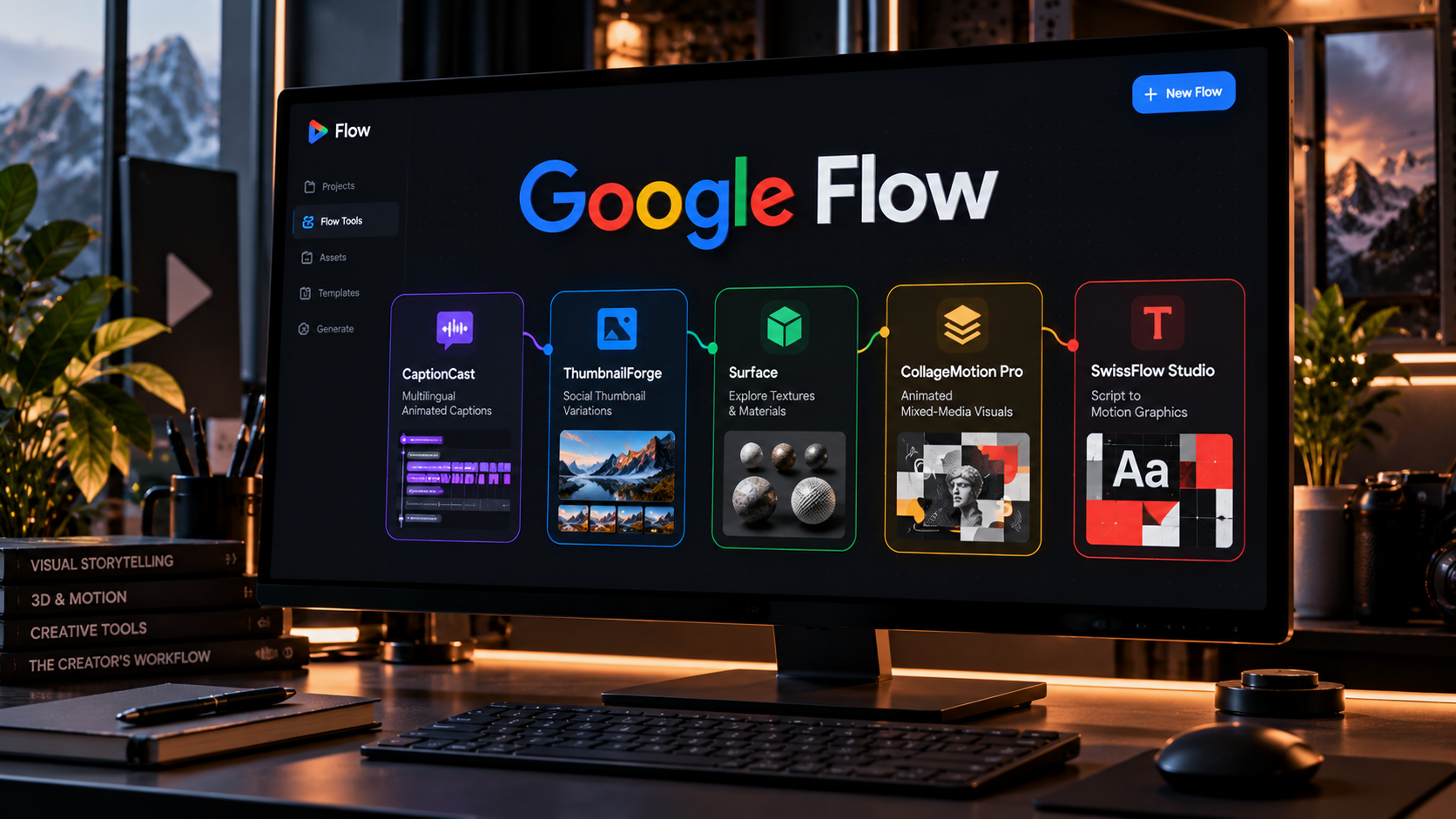
Google Flow is moving beyond a place to generate individual images or clips. Its newer Flow Tools system lets creators assemble reusable workflows by describing what they need, then duplicate or adapt tools built by other creators. Google introduced six community-built examples on September 23, 2026. Five are especially relevant to visual design, video production and motion graphics.
This is a useful evergreen story for creators because the hard part of generative production is rarely producing a single attractive result. It is repeating the process consistently for new projects, formats, clients and campaigns without rebuilding every step.
CaptionCast targets multilingual captions
CaptionCast was built by digital storyteller Jay Pirabakaran to simplify the caption pipeline. Google describes it as a workflow that transcribes, styles and animates multilingual captions in a single pass.
For a short-form creator, that can reduce time spent moving between transcription, typography and motion tools. However, captions still need human review for names, technical terms, timing and readability. A polished animation does not make a mistaken transcript accurate.
ThumbnailForge creates social cover variations
ThumbnailForge takes an image, a headline and a prompt to generate social thumbnails. The goal is to reduce repeated manual formatting for platforms where a compelling cover can affect whether someone opens a video or post.
A practical use is generating several visual directions from the same source photo: one with a close-up subject, one with a large typographic hook and one with more negative space. Creators should still test readability at mobile size and avoid thumbnails that misrepresent the content.
Surface explores materials in 3D spaces
Surface was developed by interior designer and technologist Vojtek Morsztyn. It generates textures and maps them onto walls, floors and ceilings to accelerate early architectural and interior-design ideation.
This can help a designer compare material directions before investing in detailed modeling or sourcing. It is a concept-stage tool rather than a substitute for accurate material specifications, real-world lighting tests or manufacturer samples. Surface finishes that look convincing in a generated preview may behave differently in a physical space.
CollageMotion Pro animates mixed-media ideas
CollageMotion Pro was built by filmmaker and science communicator Hashem Al-Ghaili. It turns text prompts into animated collage-style visuals, a format useful for documentaries, explainers and social storytelling.
The advantage is speed during ideation: a creator can explore movement, cutout composition and visual metaphors without constructing every element from scratch. For publication, the team still needs to check source rights, factual imagery and visual continuity across scenes.
SwissFlow Studio turns scripts into motion graphics
SwissFlow Studio, also created by Al-Ghaili, converts scripts into Swiss-style motion graphics. Its appeal is especially clear for information-heavy content where strong typography, hierarchy and precise timing matter more than photorealism.
Think of a product update, a research finding or a short educational sequence. The tool can propose a visual rhythm, but designers should refine type size, contrast, line breaks and brand rules. The best use is an editable starting point for art direction, not an excuse to skip it.
How to build a repeatable Flow workflow
Start with a narrow task that happens often, such as creating a vertical cover, captioning a weekly video or generating several layout directions for a client. Write down the inputs, the required output dimensions, the brand constraints and the final review steps.
Next, test one of the existing Flow Tools and duplicate it. Change only one variable at a time so you can see which instructions improve the result. Save a short checklist of quality failures: incorrect text, broken alignment, inconsistent identity or weak readability. This makes iteration measurable rather than random.
What creators should check before relying on it
Google presents Flow Tools as a way to build workflows through natural-language instructions, but model availability, usage limits and output capabilities may vary by account or region. Check current access and pricing before designing a client service around it.
Also plan for review and export. An AI-generated visual may still need retouching, typography cleanup or adaptation in a traditional editor. Keep the original brief, source assets and final approved exports organized so the workflow remains reproducible.
Why reusable tools may matter more than new models
New models attract headlines with better image quality or longer clips. For working creators, consistency and repeatability can have an even bigger effect on the bottom line. A reusable process reduces context switching, speeds up revisions and makes it easier to delegate routine production steps.
Flow Tools points toward a creative environment where teams assemble small specialized tools around their own workflow rather than waiting for one giant application to do everything. The strongest teams will combine automation with clear creative standards and human approval.
Sources and further reading
Google: Six new Flow Tools built by creatives
More AI creative workflow articles on Nejma
GOT ANY QUESTIONS LEFT?
They are reusable creative workflows in Google Flow that can be built from natural-language instructions, duplicated and remixed.
CaptionCast is designed to transcribe, style and animate multilingual captions in a single workflow.
Yes. ThumbnailForge combines an image, headline and prompt to produce thumbnail directions for social content.
Not necessarily. They can accelerate generation and repetitive steps, while precise retouching, compliance checks and final art direction may still need conventional software.