ZBrush 2027 Adds a Native UV Editor
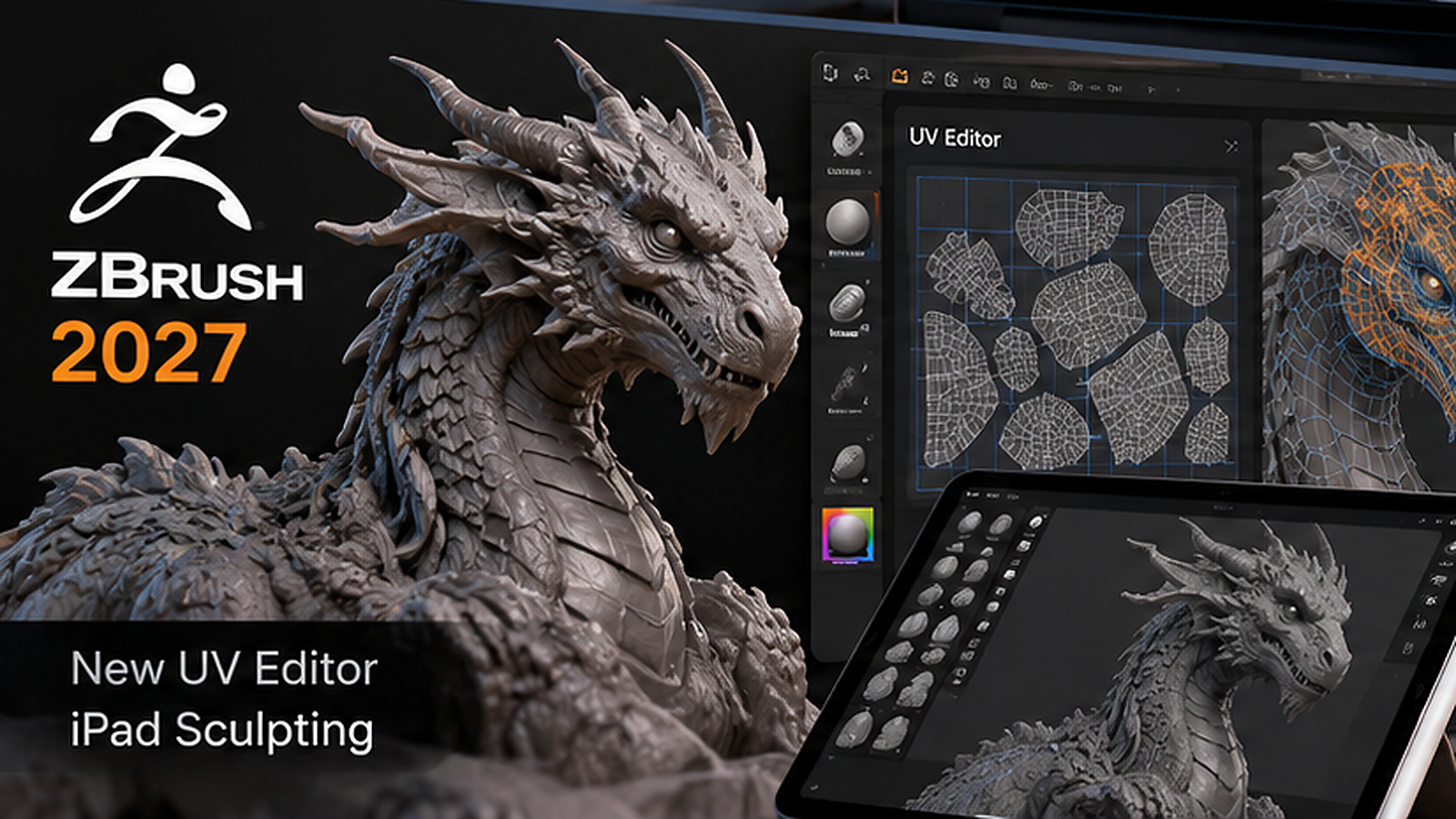
Maxon released ZBrush 2027.0 in mid-October 2026 with an important addition for 3D artists: a dedicated UV Editor in the desktop application. The update also introduces Selection Sets for managing sculpting states, while ZBrush for iPad receives Spotlight image projection and 3D Layers.
These changes target a practical problem rather than simply adding new brushes. Sculptors frequently move between applications when preparing models for texturing, animation or game engines. Keeping more of that preparation inside ZBrush can reduce context switching and the chance of losing information during exports.
Why a native UV Editor matters
UV mapping converts the surface of a 3D model into coordinates that textures can use. A beautiful sculpt is not automatically ready for painting or production: artists need sensible seams, predictable scale and UV islands that make efficient use of texture space.
ZBrush has long supported ways to generate UVs, but complex projects often push artists into another package for detailed adjustments. Maxon says the new editor opens from the Tool > UV Map area and lets artists work on selected, visible or all SubTools before applying the results back to the model.
Cinema 4D technology powers the UV workflow
Maxon reused its Cinema 4D UV technology for the new ZBrush editor. That provides an established foundation for unwrapping, manual editing and packing instead of a completely new interface with no production history. The dedicated ZBrush version focuses on UV tasks rather than exposing unrelated Cinema 4D tools.
For game assets, product models and textured characters, this could shorten the path from sculpting to painting. It does not remove the need for a topology plan, correct texel density or careful checks in the target renderer. The UV Editor is another step in a pipeline, not an automatic guarantee of production-ready assets.
Selection Sets make complex sculpts easier to explore
ZBrush 2027.0 also adds Selection Sets on desktop. Artists can save and recall combinations of polygroups, masks, polypaint, morph targets and UV states. That is useful when one character needs different working configurations for posing, facial detail and surface painting.
The ability to switch between saved states reduces the risk of overwriting a useful setup while experimenting. For example, a sculptor can preserve one mask arrangement for hard-surface details and another for anatomy refinement without reconstructing those selections every time.
ZBrush for iPad gains Spotlight image projection
On iPad, the headline addition is Spotlight. Artists can bring reference images into the viewport, use them while sculpting and paint or sculpt through images onto a model. Maxon also describes creating meshes from image references, which can make concept exploration more direct on a tablet.
This matters for artists who begin ideas away from their desktop workstation. A character designer can keep reference photography beside the sculpt, project visual details and continue refining without leaving the app for every small reference change.
3D Layers bring non-destructive options to iPad
The iPad release adds 3D Layers for recording sculpting details, polypaint and masks separately. Layers can be shown, hidden, blended or baked into a model. That allows artists to compare variants, preserve earlier detail and experiment with expressions or poses more safely.
Layer-based iteration is especially valuable on a touch device, where fast sculpting gestures can encourage experimentation. It is still worth saving project versions before major changes, since a non-destructive layer does not replace a reliable backup process.
Desktop and iPad are not feature-identical
The release should not be described as one unified feature set across devices. The dedicated UV Editor and Selection Sets are desktop additions, while Spotlight and 3D Layers are the highlighted iPad additions. Artists should check the documentation for the platform they actually use.
For studios with both desktop and tablet artists, this distinction affects handoff plans. A sculpt started on iPad may still need desktop UV work before moving into texture painting or engine integration. The update improves both environments, but not in exactly the same way.
How to evaluate the new UV Editor
Test it with an asset that has recognizable UV pain points: thin appendages, overlapping parts, hard-surface panels or multiple texture sets. Compare the new workflow with the tools you already use for seam control, island packing and maintaining predictable texel density.
Also inspect the result in the next application in your pipeline. A successful unwrap is one that remains easy to paint, bake and revise. The fastest-looking UV operation inside ZBrush may not be the best choice if it produces extra cleanup downstream.
Why this release matters for 3D production
ZBrush 2027.0 is a reminder that valuable software updates often remove friction rather than introduce a dramatic new art style. The new UV Editor brings a routine production task closer to sculpting, while Selection Sets and the iPad additions make experimentation easier to manage.
For character artists and game teams, those workflow improvements can be more meaningful over a year of projects than a feature that looks spectacular in a short demo. The right next step is a focused test with an existing asset, not a complete pipeline migration overnight.
Sources and further reading
Maxon: What is new in ZBrush 2027.0
Maxon documentation: UV Editor
Maxon documentation: ZBrush for iPad 2027.0
Independent ZBrush 2027 coverage
Explore more 3D design news on Nejma
GOT ANY QUESTIONS LEFT?
The desktop version adds a dedicated UV Editor and Selection Sets. ZBrush for iPad adds Spotlight and 3D Layers.
Yes. The new desktop UV Editor can create, unwrap, edit and pack UVs without exporting to another application.
No. Maxon documents the new dedicated UV Editor as a desktop feature.
Spotlight lets artists work with reference images in the viewport, including painting and sculpting through images onto a model.