Luminar on Web Launches With Free RAW Editing
Skylum launched Luminar on Web on October 15, 2026, bringing RAW editing and several of its signature AI photography tools into a browser. The launch is relevant to photographers who want to work on different computers without installing a heavyweight desktop editor, but the pricing and export limits deserve as much attention as the headline features.
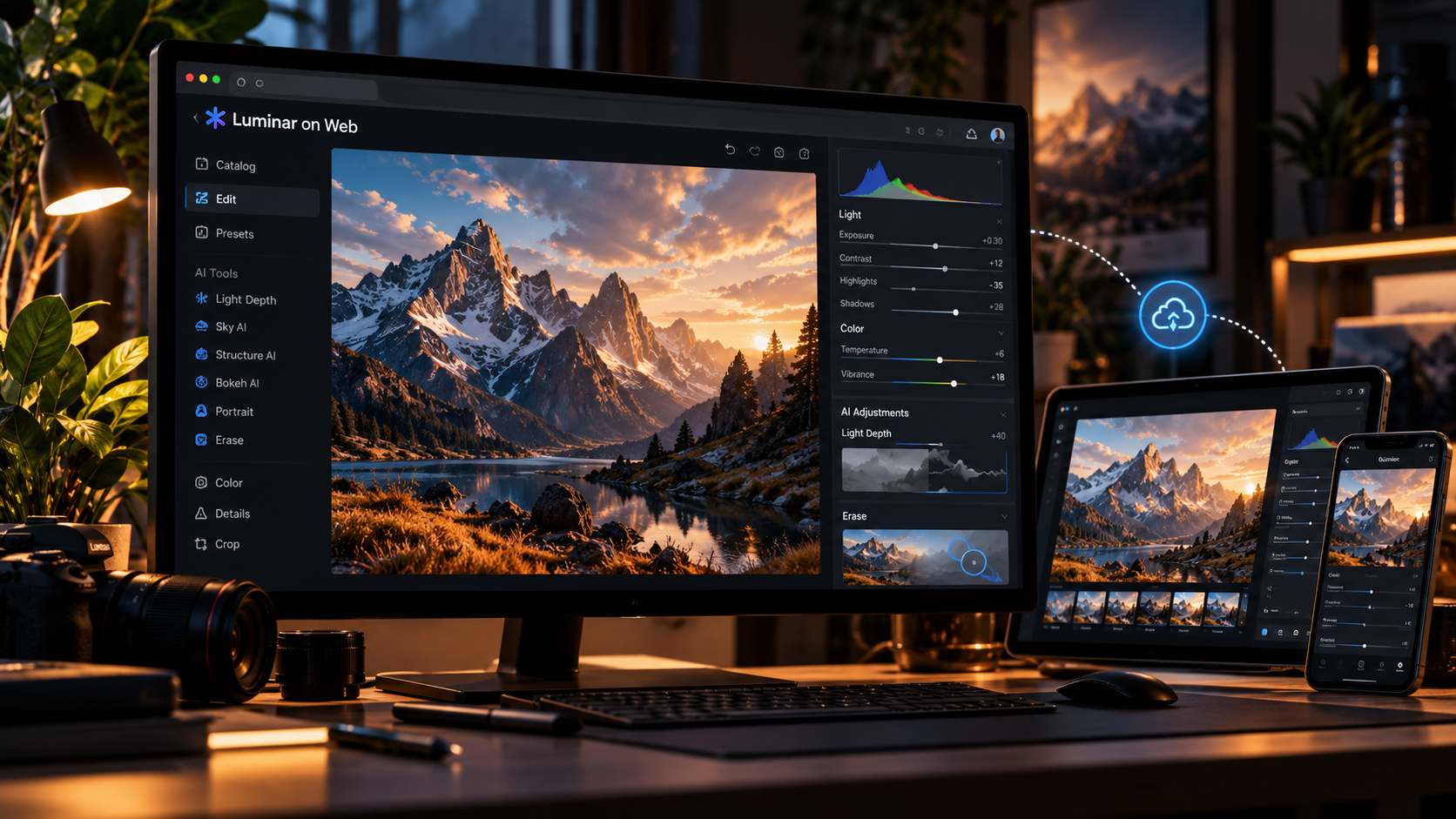
The company positions the web product between simple online filters and traditional desktop photo software. Its pitch includes RAW processing, Light Depth, sky adjustments, presets, object removal and syncing with other Luminar apps. Not every tool is included in the free tier, so the most useful question is what a photographer can actually finish without paying.
RAW editing now works directly in the browser
RAW support is a meaningful addition because photographers often prefer to make tonal and color decisions before an image is compressed into JPEG. Skylum says the browser editor can work with RAW files and common exposure, color and detail controls without requiring a local desktop installation.
That can help when reviewing photos on a borrowed workstation, traveling with a lightweight laptop or making a quick edit away from a primary machine. It does not automatically mean every camera format or every large catalog will behave identically to a desktop workflow. Test files from your actual camera before depending on it for a deadline.
Light Depth and AI tools are the main differentiators
Skylum is bringing its Light Depth technology to the web, with controls intended to shape perceived lighting and dimensionality. The broader paid toolset also includes Sky AI, Structure AI, Bokeh AI, portrait adjustments and Erase. These features aim to reduce the time spent on repetitive local corrections and stylistic treatments.
The distinction between adjustment and reconstruction still matters. An AI sky replacement or object removal can be useful in advertising and illustrative photography, but documentary, editorial and evidentiary uses may require stricter rules about altering what was actually photographed. Creators should disclose substantive manipulations when the context calls for it.
The free plan is useful but has a clear export ceiling
The free Web Only tier includes basic photo controls, RAW support, 100 MB of cloud storage and standard-quality export. According to Skylum, that export is limited to 1,280 pixels on the longest side at 80% quality. This is enough for certain previews and small social posts, but not an ideal final deliverable for high-resolution client work.
It is important not to confuse the free tier with the full AI editing experience. If you need larger final files, advanced presets or features such as Light Depth and AI retouching, compare the paid plan before committing a batch of photos to the service.
The $69 license includes web and mobile access
Skylum lists Web Full Access at $69 as a one-time purchase, currently bundling lifetime access to Luminar on Web and Luminar on Mobile. It includes core AI tools, presets, filters and cross-device editing. The company notes that major future upgrades may require additional payment, so lifetime access should not be read as a guarantee of every future feature for free.
The $159 All Platforms option adds the desktop application. Some advanced desktop AI features are included through a 365-day access pass rather than an unrestricted lifetime entitlement. For budget comparisons, separate ownership of the base application from time-limited access to premium AI services.
Cross-device syncing is useful with an important limitation
Skylum describes editing continuity between Luminar Mobile and Luminar on Web, with the ability to transfer work from those apps to desktop. The company does not describe every possible editing direction as fully symmetrical. If you routinely start a project on desktop and expect every adjustment to appear unchanged on mobile, verify that exact path first.
Cloud access also changes the privacy conversation. Client portraits and unreleased campaign photos may be subject to contractual restrictions. Before uploading sensitive material, review the service terms, data handling and whether the project can be completed within an approved workflow.
Who should try Luminar on Web first?
Travel photographers, social creators and hobbyists are the clearest initial audience. They benefit from quick access, an approachable interface and the option to start with basic tools. A professional retoucher may still prefer a mature desktop editor for detailed masks, layered composites, print color management and large catalog operations.
A practical test is to edit the same difficult RAW file in Luminar on Web and your current editor. Compare highlight recovery, skin texture, edge quality, processing time and final export dimensions. A good comparison focuses on the finished image and workflow friction rather than a feature checklist.
What the launch means for browser creative software
The larger trend is that browsers are becoming capable creative workspaces, not just places to preview assets. Luminar is betting that photographers will accept cloud-connected workflows when the editing experience feels serious and access is convenient.
Whether it replaces a desktop application depends on file support, responsiveness, licensing and trust. For now, Luminar on Web is best viewed as a newly launched option worth testing, especially if you want RAW support without installing a separate editor.
Sources and further reading
Skylum launch announcement, October 15, 2026
Luminar on Web features and current pricing
Independent coverage from Digital Camera World
Explore more creative software news on Nejma
GOT ANY QUESTIONS LEFT?
Yes. A free Web Only plan includes basic editing tools and RAW support, but exports are limited to 1,280 pixels on the longest side at 80% quality.
Skylum lists a $69 one-time Web Full Access plan that currently includes lifetime licenses for the web and mobile apps.
Yes. RAW editing is included even in the free browser tier, according to Skylum.
Not necessarily. Skylum says major upgrades can require additional payments, and some desktop AI access in the All Platforms plan is time-limited.