Webflow Libraries Can Now Share Global Tag Styles
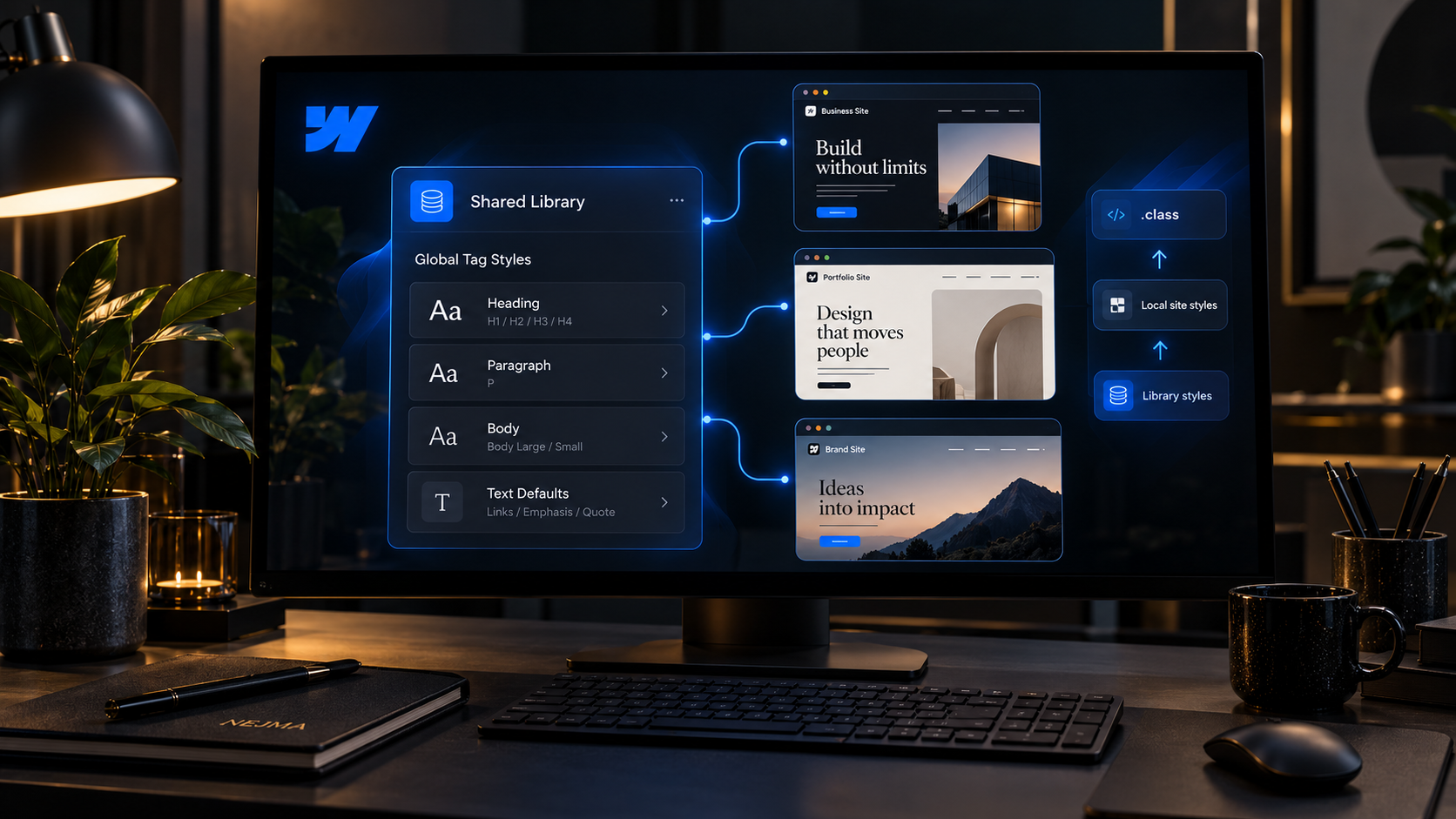
Webflow has updated Shared Libraries so they can carry global tag styles such as body, heading and paragraph styles across sites. Previously, components could move through a Library while the underlying tag styles stayed behind on the original site.
That mismatch could make the same component look different after installation. The new behavior makes libraries more complete because typography and other foundational defaults can travel alongside components, variables, fonts and assets.
What global tag styles are
Tag styles define default presentation for elements such as the body, headings and paragraphs. They sit underneath classes and affect how unclassed elements appear across a site.
Because components often depend on those defaults, moving a component without its tag styles can change spacing, typography or visual hierarchy even when the component itself is identical.
Libraries can now include those styles
Webflow says customized tag styles can now be shared as part of a Library together with components, variables, fonts and assets.
That gives design-system teams a better way to keep several sites aligned without manually recreating the same typography and element defaults every time.
Sites can choose which library styles apply
Webflow lets teams choose which Libraries' tag styles are enabled on a site and control the order in which they apply.
This is useful for organizations with several shared systems or layered brand libraries, because a site can selectively adopt the defaults it needs instead of accepting everything automatically.
Local site styles still take priority
Webflow says a site's own tag styles override Library tag styles, and classes override both.
That hierarchy gives teams a sensible balance between shared defaults and local exceptions. A Library can provide the baseline while a site can still intentionally diverge when needed.
Uninstalling a Library should not break the design
When a Library is uninstalled, Webflow says enabled Library tag styles are merged into the site's own styles so the visual result stays the same.
That is an important detail because reusable systems should not create fragile dependencies where removing one connection unexpectedly changes the appearance of a live site.
This makes multi-site design systems more practical
Companies running several marketing sites often spend time reproducing the same foundations: headings, body copy, spacing expectations and core components.
Sharing more of that system through Libraries reduces manual duplication and gives teams a clearer way to push consistent updates from a source site.
What teams should document
Teams should define which site owns the source Library, which tag styles are intended to be global and when local site overrides are acceptable.
They should also test update behavior before rolling Library changes across many production sites. Shared design systems create leverage, but they also increase the reach of mistakes.
Sources and further reading
Read Webflow's global tag styles update
Explore more articles on the Nejma Blog
GOT ANY QUESTIONS LEFT?
Libraries can now include customized global tag styles for elements such as the body, headings and paragraphs.
No. Webflow says the site's own tag styles take priority, and classes take priority over both.
Webflow says enabled Library tag styles are merged into the site's own styles so the site should keep the same appearance.