Canva Magic Layers Comes to ChatGPT and Gemini
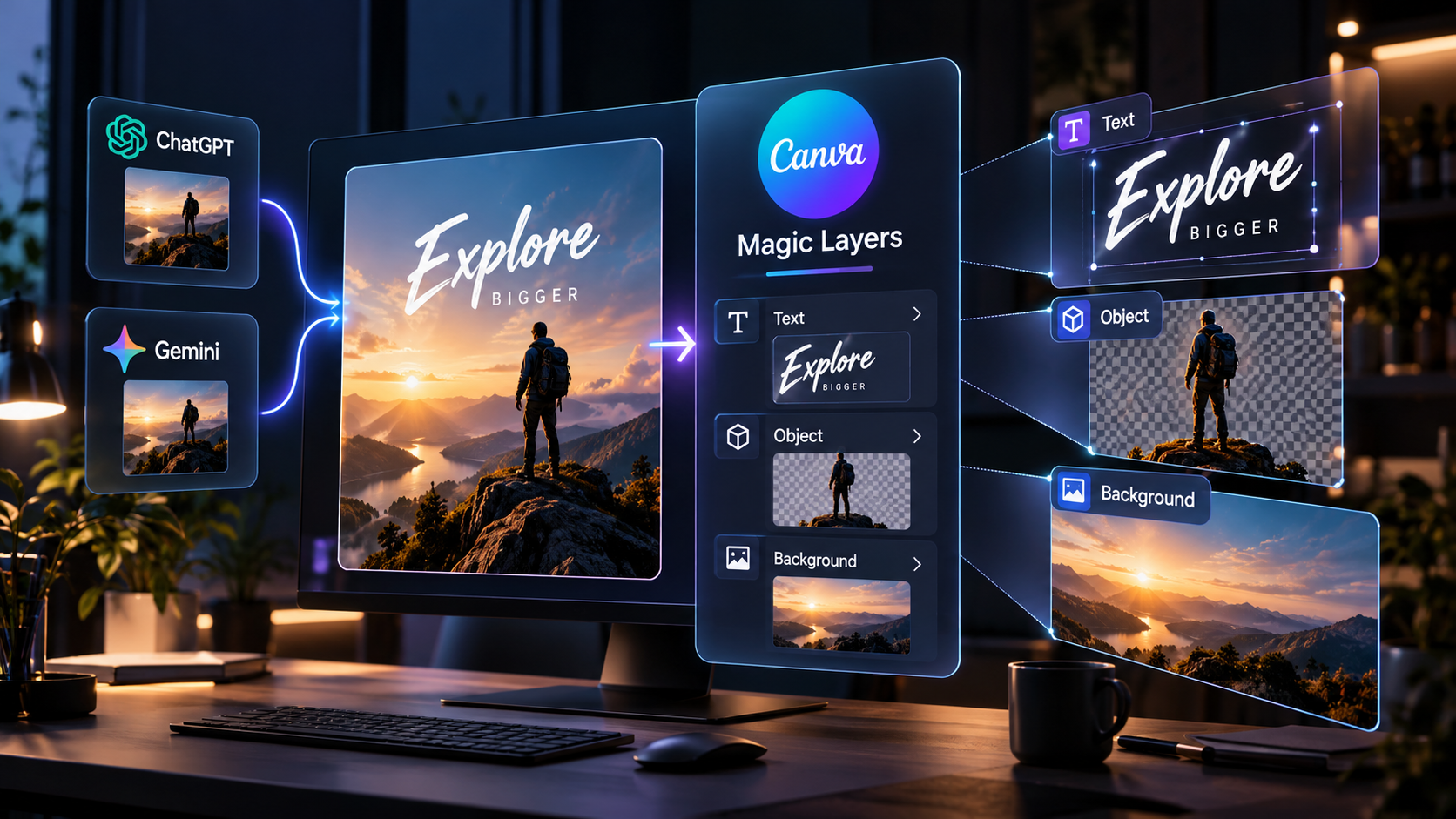
Canva has brought Magic Layers directly into ChatGPT and Google Gemini, letting users turn a generated image into an editable Canva design without first downloading the image and rebuilding it manually.
The update matters because one of the biggest weaknesses of AI image generation is that the output is usually flat. If the headline is wrong, an object needs moving or the layout needs adapting, creators often have to regenerate the image instead of simply editing it.
Magic Layers separates the image into editable parts
Canva says Magic Layers can identify text, objects and backgrounds inside a flat image and rebuild them as separate editable layers.
Text becomes live text, objects can be repositioned or resized, colors can be changed and the overall layout can be refined without starting from scratch.
The workflow now starts inside ChatGPT or Gemini
Users can generate an image in ChatGPT or Gemini and then ask to turn it into an editable Canva design. Canva says the feature is available directly in both assistants.
That removes the old generate-download-upload sequence and makes Canva part of the same workflow where the visual was created.
Editable output matters more than another generator
The creative-tool market already has many systems that can generate images quickly. The harder problem is what happens after generation.
Professional work usually requires revision: changing copy, adapting a campaign to a new size, replacing an object, moving elements or matching brand rules. A tool that restores editability can be more valuable than another image generator.
Canva is positioning itself as the editing layer
By integrating with assistants rather than forcing every task to begin inside Canva, the company is positioning itself as the structured editing layer after generation.
ChatGPT or Gemini can handle ideation and image creation, while Canva becomes the place where the result is organized, refined and prepared for actual use.
This can reduce prompt churn
A common AI workflow problem is repeated prompting just to fix one small detail. That can unintentionally alter parts of an image that were already correct.
If Magic Layers successfully isolates the elements, users can make the small change directly instead of asking the model to regenerate the whole composition.
The strongest use cases are iterative
Marketing teams and creators often need several versions of the same visual. Once a design is layered, it becomes easier to change a headline, resize the layout, swap colors or create variations for different channels.
That makes the feature especially relevant for high-volume creative work where the first generated image is only the beginning.
What to watch
The key question is how well Magic Layers handles difficult images. Simple posters and social graphics are easier to reconstruct than dense compositions, unusual typography or highly realistic scenes.
If layer separation remains reliable across harder inputs, Magic Layers could become one of the more useful bridges between AI generation and ordinary design work.
Sources and further reading
Read Canva's Magic Layers integration announcement
Read Canva's original Magic Layers announcement
Explore more articles on the Nejma Blog
GOT ANY QUESTIONS LEFT?
Magic Layers converts a flat image into a multi-layered Canva design with editable text, objects and backgrounds.
Yes. Canva says the feature is available directly from both ChatGPT and Google Gemini workflows.
It lets creators edit individual parts of a generated image instead of repeatedly regenerating the entire visual.